The pack moves
Hundreds of pages, then an addendum that changes a criterion, a date or the scope.
Products / Bid Assist
AI-Based Bid Preparation Assistant
Prepare a stronger bid in days, not weeks. Defend every line.
Bid Assist is the bidder’s side of a tender, on one desk. It reads the pack, shows what is missing, and drafts the response — with every finding tied to the page it came from. Company profile, letterhead and rate card stay yours.
Request a discussionThe problem
A tender pack is long, often scanned, and then a corrigendum rewrites a criterion. Eligibility, marks, forms and the price schedule live in different files. A missing certificate or an old clause is found at submission, or after the bid is opened.
Hundreds of pages, then an addendum that changes a criterion, a date or the scope.
Eligibility, marks, forms and the price schedule are read by hand, in different files.
A missing certificate or a clause that no longer applies appears at the last moment.
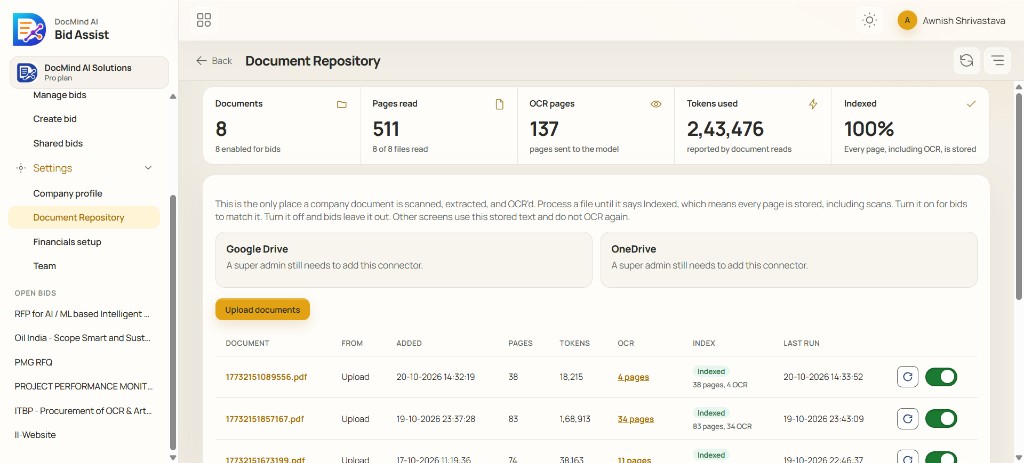
01 / 08
The RFP, a GeM bid, corrigenda, pre-bid replies, the price schedule and annexures. A file uploaded twice is recognised by its pages.
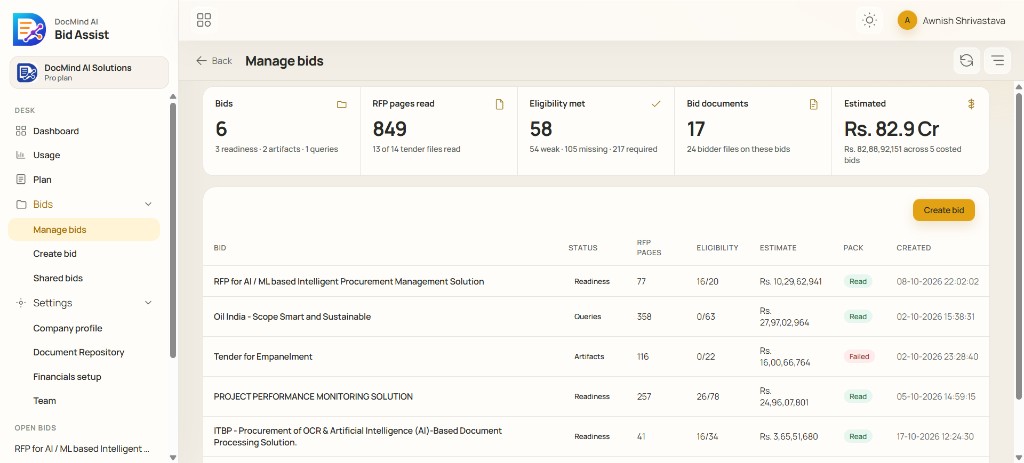
02 / 08
Eligibility, technical marks, specifications, bid security, declarations and the dates that govern the bid, each citing its clause.
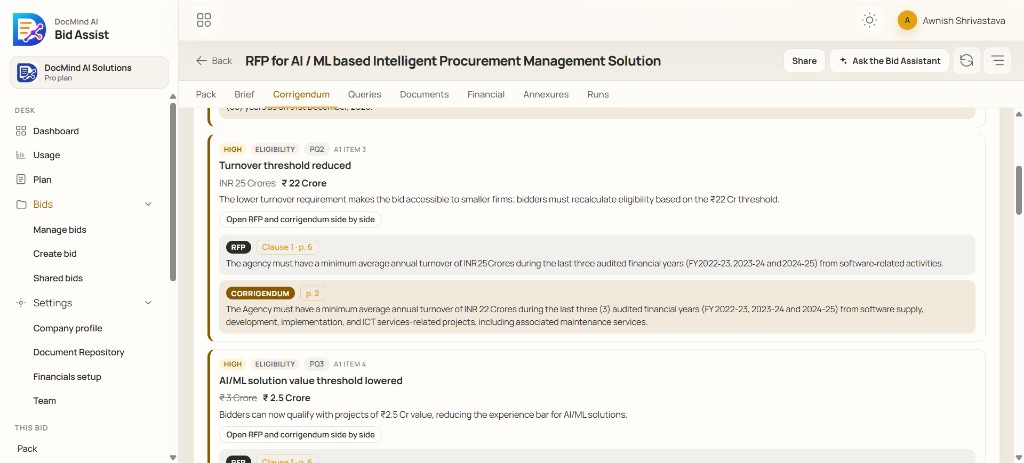
03 / 08
What changed for eligibility, marks, scope, money or a deadline, beside the original clause. A criterion updates only when the addendum states it.
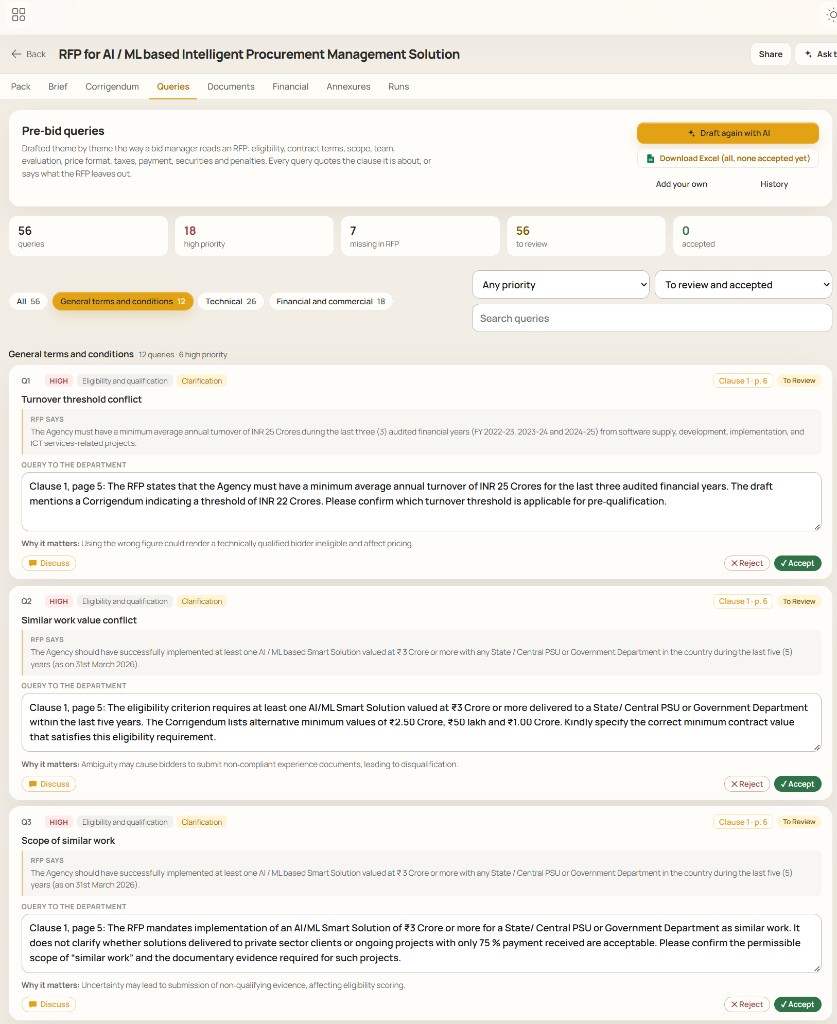
04 / 08
Gaps, conflicts and restrictive clauses as numbered queries, each citing its clause. Review, accept and export to Excel.
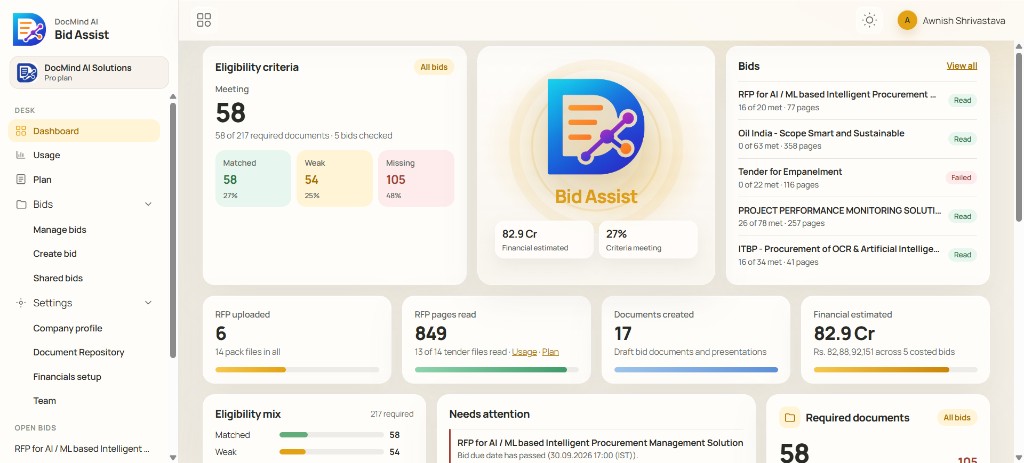
05 / 08
Your repository against what this tender asks for: matched, needs a check, or missing, with the page.
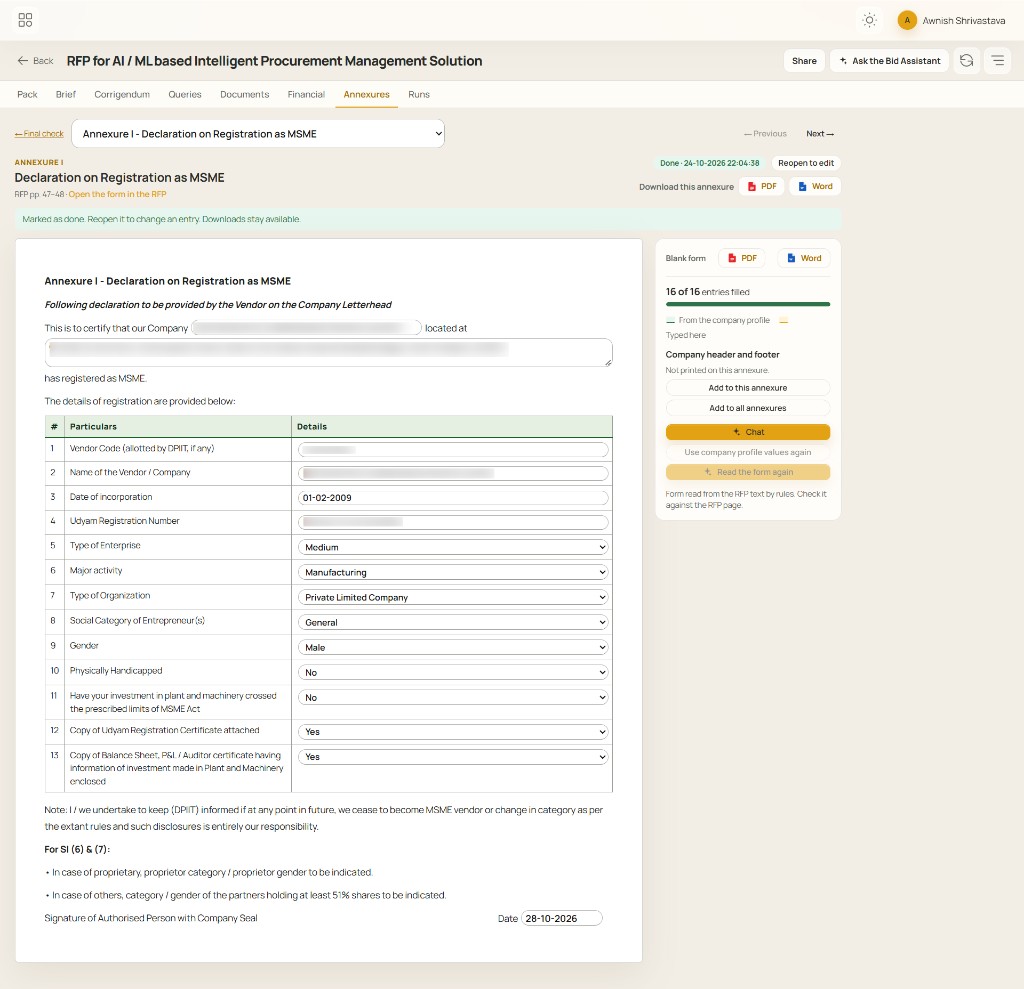
06 / 08
The tender’s forms as fill-in documents, with your profile and your own letterhead. Word and PDF.

07 / 08
The tender’s price schedule. A quantity counts as the tender’s only when it is in the RFP. Lines are built from your rate card.
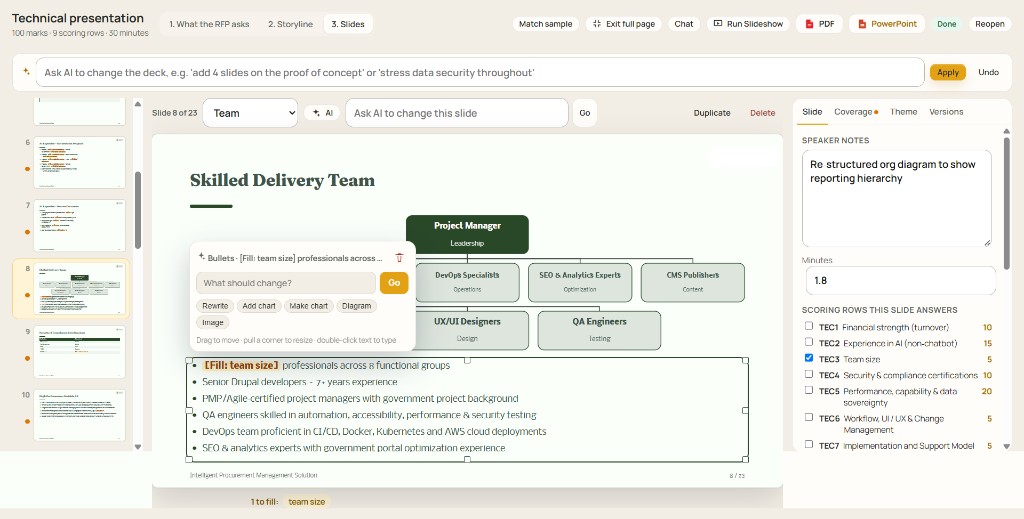
08 / 08
A technical deck grounded in the RFP, in your colours, as PowerPoint. The review says what to fix first.
Built for accuracy
A general chat model reads a slice of a long pack and can miss the corrigendum, or answer a clause that is not there. Bid Assist reads page by page, and reports what cannot be found.
Scanned certificates included. A corrigendum stays on the criterion it changes.
A figure is the tender’s only when it is found. Rates come from your card. Sums are calculated.
Each line is tied to its source. What cannot be found is reported as not found.
Company profile, letterhead, signatory and rate card stay yours. A colleague can be invited onto one bid.
Built to be checked. A change is written onto a criterion only when it is quoted from the corrigendum. Eligibility and marks on the desk are an estimate for preparing the bid, not the buyer’s score.
Workflow
Every page, scans included. The RFP, corrigenda and annexures, before a line is drafted.
ReadEligibility, technical marks, specifications, bid security and the dates that govern the bid.
CheckWhat changed for eligibility, marks, scope, money or a deadline, beside the original clause.
CheckGaps, conflicts and restrictive clauses as numbered queries, each citing its clause.
DraftYour repository against what this tender asks for: matched, needs a check, or missing.
CheckThe tender’s forms on your letterhead, and a price schedule built from your rate card.
DraftA technical deck in your colours, as PowerPoint. The review says what to fix first.
DraftThe pack, the gaps and a draft response in one place, before the pre-bid meeting.
A missing form or a weak match is listed, with the clause that asked for it.
Every tender is checked the same way, against your own documents.
Each pre-bid question points at the page, so it can be sent and tracked.
Letterhead, signatory and rate card are yours. The tender supplies the form and the quantities.
Company profile, repository and roles carry across bids.
How you take it
A quarterly SaaS subscription for a bidding team, or a custom enterprise agreement where data privacy and a larger team are the concern.
For a bidding team, billed each quarter. DocMind hosts Bid Assist. Your company signs in, uploads the pack and prepares the bid.
Agreed for a larger organisation. For teams where bid data must stay private, and more of the team needs access.
Who it is for
Share a past RFP. We read the pack and walk your team through the brief, the gaps and the draft response. A pilot takes days, not months.
Request Demo